 English
 Español
 Français
 Deutsch
 Português
 Italiano
 Русский
 日本語
日本語 한국어
한국어 简体中文
简体中文 العربية
 हिन्दी
 اردو
اردو Indonesia
 Türkçe
 Tiếng Việt
 ไทย
ไทย Polski
 Nederlands
 Українська
 বাংলা
বাংলা Čeština
 Dansk
Dansk Filipino
 Bahasa Melayu
 Norsk
Norsk Română
 Slovenčina
 Slovenščina
유튜브 동영상 다운로더
Full HD 1080p 고화질 및 MP4 온라인 무료 다운로드
유튜브의 모든 동영상과 Shorts를 소리 싱크 밀림 없는 1080p, 720p 고화질 MP4로 저장하세요. 악성 광고나 프로그램 설치 없이 스마트폰과 PC에서 바로 사용할 수 있습니다.
비교 안내: YTMediaSave vs 기존 다운로더
수많은 국내 사용자들이 광고 가득한 기존 사이트 대신 YTMediaSave를 선택하는 이유입니다.
YTMediaSave만의 핵심 장점
로그인이나 결제 요구가 전혀 없으며, 사용자의 이용 기록을 저장하지 않아 안심하고 이용하실 수 있습니다.
타 사이트처럼 1080p 다운로드 시 소리가 안 나는 현상 없이, MPEG-DASH 기술을 통해 깨끗한 오디오가 합쳐진 완벽한 영상을 제공합니다.
Safari 브라우저에서 YTMediaSave로 접속하여 링크를 붙여넣고 다운로드를 누릅니다. Safari의 다운로드 확인 팝업을 승인합니다. 다운로드가 끝나면 "파일" 앱 > "다운로드" 폴더로 이동하여 해당 영상을 누르고, 공유 아이콘을 클릭한 뒤 "비디오 저장"을 누르면 "사진" 앱(갤러리)으로 동영상이 이동합니다.
아이폰, 갤럭시, 태블릿, 윈도우 PC 및 맥에서 별도 코덱 없이 바로 재생할 수 있는 표준 규격입니다.
Chrome 브라우저에서 링크를 붙여넣고 화질을 선택하여 다운로드합니다. MP4 파일은 "다운로드" 폴더에 저장되며 스마트폰 "갤러리" 앱에서 바로 확인할 수 있습니다.
대기열이나 인위적인 속도 제한 없이 초고속으로 파일을 처리하고 다운로드할 수 있습니다.
What is a YouTube Video Downloader?
How online stream extractors convert complex video manifests into high-definition offline files.
A YouTube video downloader is a specialized web utility that parses public streaming endpoints from YouTube servers and delivers a standalone video or audio file directly to your local device. Modern streaming platforms deliver content through dynamic segment formats (such as MPEG-DASH and HLS), which separate raw visual video feeds from audio feeds to optimize real-time buffering based on your internet connection speed.
YTMediaSave resolves these complex streaming manifests into unified, high-definition MP4 video files. By handling stream extraction on our high-speed server pipeline, we enable creators, educators, researchers, and casual viewers to save offline copies of tutorials, lectures, podcasts, and Shorts with crystal-clear visual quality and synchronized stereo sound.
Unlike traditional software programs that demand system installation, administrative permissions, or background browser extensions, YTMediaSave operates 100% within your web browser. You simply input a public URL, choose your preferred resolution, and stream the file directly to your storage without registering an account or paying subscription fees.
Downloader Specifications
- Supported URLs: Standard videos, YouTube Shorts, music clips, podcasts, educational lectures.
- Video Formats: MP4 (MPEG-4 / H.264 / AVC1), WebM (VP9 / AV1).
- Audio Codecs: AAC / M4A (128 kbps – 320 kbps stereo).
- Video Resolutions: 1080p (Full HD), 720p (HD), 480p, 360p (source-dependent).
- Device Support: Windows, macOS, Linux, iOS (iPhone/iPad), Android.
- Privacy Architecture: Direct stream proxying with zero permanent server file logs.
단 3단계로 유튜브 동영상 다운로드하는 방법
Downloading YouTube videos and Shorts to your smartphone, laptop, or desktop computer takes only four simple steps on YTMediaSave.
유튜브 링크 복사
01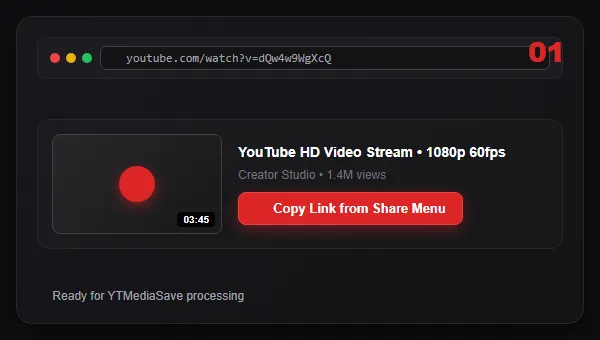
스마트폰이나 PC에서 유튜브 앱 또는 웹사이트를 열고, 원하는 동영상이나 Shorts의 URL 링크를 복사합니다.
링크 붙여넣기 및 분석
02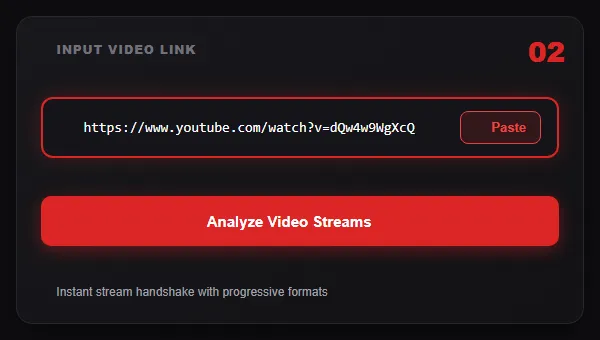
YTMediaSave 검색창에 복사한 링크를 붙여넣고 "동영상 분석" 버튼을 클릭합니다. 즉시 다운로드 가능한 해상도 목록이 나타납니다.
해상도 선택 및 저장
03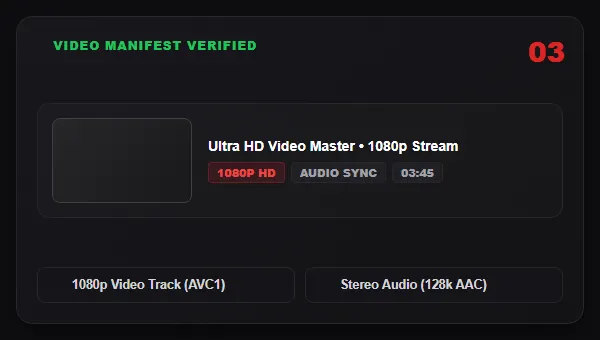
원하는 화질(1080p Full HD, 720p, 오디오 등)을 선택한 후 "지금 다운로드"를 누르면 기기에 바로 파일이 저장됩니다.
지금 다운로드
04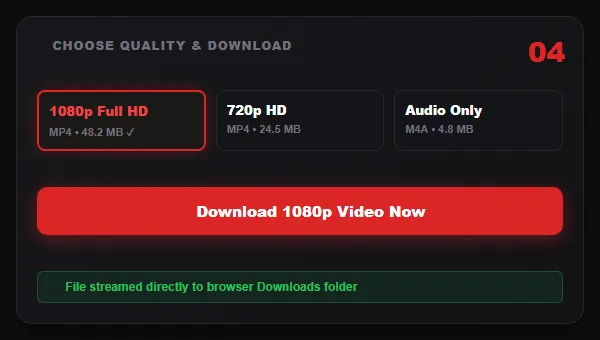
Select your preferred resolution (such as 1080p Full HD or 720p HD) and click Download Now. The video file streams directly into your device downloads folder.
YouTube Resolution & Video Quality Guide
Understanding video resolutions helps you pick the right balance between visual crispness and storage space. Available download formats depend directly on the quality uploaded by the content creator.
1080p Full HD
1920 × 1080Desktop monitors, 4K Smart TVs, laptop displays, and video editing suites.
Delivers crisp detail, razor-sharp text clarity in tutorials, and rich color fidelity at maximum bitrates (3,500 – 6,000 kbps).
720p HD
1280 × 720Smartphones, tablets, and lightweight laptop playback.
The universal high-definition standard. Offers an ideal balance of visual fidelity and compact file size for quick downloads.
480p SD
854 × 480Data-capped mobile connections and older storage-limited devices.
DVD-equivalent standard definition. Highly efficient for podcast review, conversational interviews, and quick reference clips.
360p SD
640 × 360Low-bandwidth networks and messaging app file transfers.
Produces ultra-small files that download rapidly even on 3G or unstable mobile data connections.
Resolution Comparison & Technical Format Details
Compare technical parameters, typical bitrates, visual fidelity ratings, and recommended viewing contexts across standard video resolutions.
| Resolution | Pixel Dimensions | Video Codec | Audio Track | Typical Bitrate | Best Viewing Display |
|---|---|---|---|---|---|
| 1080p Full HD | 1920 × 1080 (16:9) | H.264 / AVC1 | AAC 128–256 kbps | 3,500 – 6,000 kbps | Desktop PC, Smart TVs, Editing Suites |
| 720p HD | 1280 × 720 (16:9) | H.264 / AVC1 | AAC 128 kbps | 1,500 – 2,500 kbps | Smartphones, Tablets, Laptops |
| 480p SD | 854 × 480 (16:9) | H.264 / AVC1 | AAC 96–128 kbps | 800 – 1,200 kbps | Legacy Tablets, Budget Phones |
| 360p SD | 640 × 360 (16:9) | H.264 / AVC1 | AAC 96 kbps | 400 – 700 kbps | Low-data Mobile, Quick Previews |
Why 1080p Full HD Quality Matters & How Availability Works
High-definition clarity benchmarks and the technical reality of source-dependent resolution extraction.
Visual Clarity on Modern Screens
With more than 2 million individual pixels per frame (1920×1080), Full HD ensures that high-motion footage, fine typography in software tutorials, complex graphics, and cinematic video landscapes remain razor sharp. When viewed on modern high-DPI displays (such as Apple Retina displays or 1080p/4K monitors), lower resolutions appear blurry or pixelated, whereas 1080p maintains pristine fidelity.
Source-Dependent Format Rules
Available download quality depends directly on the original video uploaded to YouTube. If a creator uploaded their video in 720p or 480p, no downloader can artificially upscale it to authentic 1080p Full HD. YTMediaSave's stream analyzer queries YouTube's real-time manifest and presents the highest genuine progressive quality tracks that exist on the source servers.
Downloading YouTube Shorts in Vertical HD (9:16)
Capture full vertical 1080×1920 videos with synchronized crystal-clear audio and zero distortion.
YouTube Shorts are vertical short-form videos with a 9:16 aspect ratio (typically 1080×1920 pixels) designed for mobile consumption. Because YouTube uses special /shorts/ URL routes, traditional download tools frequently fail or produce videos without audio.
Full Vertical Aspect Ratio
YTMediaSave extracts the original 1080×1920 vertical video stream without black letterbox bars or aspect ratio distortion.
Synchronized Audio Included
Our extraction engine automatically binds the video stream with its accompanying AAC audio track for flawless sound playback.
Universal Mobile App Sharing
Simply tap "Share" on any Shorts clip in the YouTube app, copy the link, and paste it directly into YTMediaSave on your phone.
Supported Formats, Encoders & Video Codecs
Universal MP4 container, H.264 compression standards, and pristine stereo AAC audio codecs.
To ensure maximum compatibility across operating systems, video players (VLC, QuickTime, Windows Media Player), mobile galleries, and video editing software (Premiere Pro, DaVinci Resolve, Final Cut Pro), YTMediaSave prioritizes industry-standard containers and compression standards:
MP4 Container (MPEG-4 Part 14)
The most widely supported digital multimedia container format globally. Plays natively on Apple iOS, macOS, Android, Windows, smart TVs, game consoles, and web browsers.
H.264 / AVC1 Video Codec
Advanced Video Coding delivers hardware-accelerated playback with minimal battery consumption and broad video editing timeline compatibility.
AAC Audio Compression (M4A)
Advanced Audio Coding delivers pristine multi-channel stereo sound at standard sample rates (44.1 kHz / 48 kHz) without audio distortion.
기기별 저장 가이드: 스마트폰 및 컴퓨터
Detailed device walkthroughs for Apple iOS, Android, and desktop operating systems.
아이폰 및 아이패드(iOS) 사진 앱에 저장하는 방법
Safari 브라우저에서 YTMediaSave로 접속하여 링크를 붙여넣고 다운로드를 누릅니다. Safari의 다운로드 확인 팝업을 승인합니다. 다운로드가 끝나면 "파일" 앱 > "다운로드" 폴더로 이동하여 해당 영상을 누르고, 공유 아이콘을 클릭한 뒤 "비디오 저장"을 누르면 "사진" 앱(갤러리)으로 동영상이 이동합니다.
갤럭시 및 안드로이드 스마트폰에서 저장하는 방법
Chrome 브라우저에서 링크를 붙여넣고 화질을 선택하여 다운로드합니다. MP4 파일은 "다운로드" 폴더에 저장되며 스마트폰 "갤러리" 앱에서 바로 확인할 수 있습니다.
윈도우 및 맥(Mac) 컴퓨터에서 저장하는 방법
웹브라우저에서 유튜브 링크를 복사하여 YTMediaSave에 붙여넣고 다운로드를 클릭하면 PC의 기본 "다운로드" 폴더에 바로 저장됩니다.
Why Choose YTMediaSave?
Built for creators, researchers, and viewers who value speed, privacy, and pristine high-definition video files.
Fast Direct Server Streaming
Our backend pipes video streams directly from source servers to your browser in real-time, eliminating long server conversion queues.
True 1080p Full HD Support
We dynamically extract authentic 1080p and 720p progressive video streams with combined stereo audio whenever available in YouTube manifests.
No Account or Registration Required
Enjoy unlimited access without creating accounts, providing email addresses, submitting credit cards, or installing browser plugins.
Mobile & Desktop Responsive
Clean, modern interface engineered to perform seamlessly across iPhone (iOS Safari), Android smartphones, Mac, and Windows PCs.
Zero Permanent File Logging
We never store, host, or archive downloaded videos on our servers. Files stream transiently in chunks directly to your local file system.
Complete Creator Toolkit
Switch seamlessly from video downloading to monetization checkers, tag extractors, thumbnail downloaders, and revenue calculators.
YTMediaSave만의 핵심 장점
Everything you need for seamless, lightning-fast video and audio extraction.
Instant Stream Resolution
Scans public metadata manifests and calculates exact durations, titles, and format availability in milliseconds.
Dynamic Resolution Pills
Displays only genuine, available video formats. You always know the exact resolution you are downloading.
One-Click Clipboard Paste
Quickly paste copied YouTube URLs directly from your device clipboard with a single tap on mobile or desktop.
Secure SSL Encryption
All tool requests and stream pipelines execute over end-to-end encrypted HTTPS connections for privacy.
Full Duration Support
Supports short video clips, standard length YouTube uploads, and long-form multi-hour tutorials with accurate durations.
100% Web-Based
No browser extensions, no external software installations, and no third-party adware to worry about.
Benefits of Offline Video Access & Local Storage
Why downloading videos locally improves learning, content creation workflows, and travel productivity.
Travel & Commute Viewing
Enjoy uninterrupted entertainment, documentaries, and podcasts on flights, subways, train commutes, and road trips without relying on cellular data.
Education & Academic Study
Store educational lectures, coding bootcamps, language tutorials, and study materials locally for focused, distraction-free study sessions.
Buffer-Free Instant Playback
Skip frustrating video buffering, quality drops, and network lag. Local MP4 files play smoothly with instant scrubbing and chapter navigation.
Common Downloader Use Cases
Real-world applications for content creators, educators, students, and remote professionals.
Content Creators & Video Editors
Reviewing creative b-roll, analyzing pacing in competitor videos, studying sound design, and archiving your own uploaded channel catalog.
Teachers & Classroom Instructors
Presenting educational video demonstrations and historical documentaries in classrooms without worrying about school internet firewalls.
Low Bandwidth & Remote Zones
Saving high-resolution how-to guides and tutorials over high-speed home Wi-Fi for offline use in remote work areas with limited connectivity.
How the Downloader Works (Technical Architecture)
Behind the scenes: how our stream proxy pipeline resolves and delivers pristine MP4 files in real time.
Troubleshooting Common Download Issues & Fixes
Quick solutions for private video restrictions, region-blocked content, and device-specific downloads.
"Video Unavailable" Error
Ensure the video is public on YouTube. Private videos, unlisted videos with domain protections, or deleted videos cannot be resolved by the stream analyzer.
Region-Blocked Videos
Certain media files are restricted to specific countries by copyright holders. If a stream is blocked in the server geographic location, format resolution may fail.
Saving on iPhone / iOS
On iOS Safari, clicking Download opens a confirmation prompt. Tap Download and find the completed MP4 video in the Files app under the Downloads folder.
MPEG-DASH 스트리밍 방식과 고화질 비트레이트 안내
유튜브는 1080p 이상의 고화질(1080p, 1440p 2K, 2160p 4K)을 전송할 때 MPEG-DASH 기술을 적용하여 영상 트랙과 오디오 트랙을 분리하여 전송합니다.
기존 변환기들은 두 트랙을 합치지 못해 무음 파일이 생깁니다. YTMediaSave는 자체 서버에서 H.264 / AVC1 또는 VP9 영상과 AAC / Opus 오디오를 즉시 병합(Muxing)하여 완벽한 MP4 파일을 완성합니다.
Technical Deep Dive: How YouTube Video Streaming Works (MPEG-DASH)
YouTube uses DASH (Dynamic Adaptive Streaming over HTTP) to deliver video content to billions of viewers simultaneously. Under the DASH architecture:
- Resolution Fragmentation: For video qualities above 720p (such as 1080p, 1440p 2K, and 2160p 4K), YouTube serves the video track and audio track as two completely separate, parallel network streams.
- Adaptive Bitrates: Your browser player dynamically switches resolutions based on your current network speed, often dropping you down to 480p or 360p without warning.
- Why YTMediaSave is Different: Our extraction engine identifies the maximum available video stream container, pairs it with the highest bitrate audio channel (128kbps-320kbps AAC/Opus), and delivers a fully integrated, self-contained MP4 file that plays perfectly in QuickTime, VLC, Windows Media Player, Premiere Pro, and all mobile galleries.
Copyright, Fair Use & Responsible Creator Guidelines
Ethical usage standards, intellectual property respect, and personal reference guidelines.
YTMediaSave is an online metadata research and streaming utility designed strictly for personal offline reference, academic study, educational analysis, and lawful fair-use commentary. All intellectual property, copyrights, trademarks, and media content rights belong exclusively to the original creators and content owners.
Users are solely responsible for ensuring that their downloading activities comply with YouTube Terms of Service and applicable intellectual property laws. Do not download, redistribute, monetize, or re-upload copyrighted media without explicit permission from the copyright owner. YTMediaSave does not host, store, or archive copyrighted video files on its servers.
자주 묻는 질문 (FAQ)
Comprehensive answers to common questions about downloading YouTube videos, format choices, resolutions, and mobile device saving.
Conclusion: Empowering Responsible Digital Media Consumption
In an era where streaming video dominates global internet traffic, having direct, secure, and reliable access to educational content, creative references, and multimedia archives is essential for creators, researchers, and everyday viewers alike.
Security & Zero Bloatware
YTMediaSave eliminates the persistent security threats associated with traditional video download tools. By maintaining a zero-malware policy, running entirely in browser sandboxes, and never requesting administrator permissions, we safeguard user hardware across all operating systems.
Creator Workflow Freedom
Video editors, podcasters, educators, and researchers gain immediate productivity gains through uncompressed 1080p stream extraction. Local archives enable editing timeline ingestion without buffering lag or unexpected video removals.
Universal Cross-Device Utility
Whether analyzing technical tutorials on desktop workstations, saving Shorts to mobile camera rolls, or extracting podcast audio for commute playback, our progressive web platform delivers lightning-fast processing across every device ecosystem.

유튜브 활용을 돕는 무료 도구 모음
동영상 저장 외에도 다양한 실용 도구를 100% 무료로 이용해 보세요: